Table of Contents
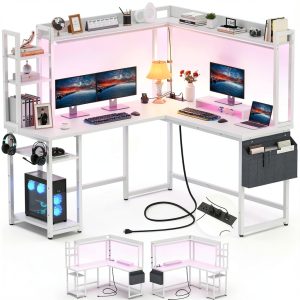
You’re searching for an L-shaped gaming desk because you’re tired of the clutter. Cables snaking everywhere, power strips taking up precious space, and that constant hunt for a free USB port. The Aheaplus Gaming L Desk promises to solve this with built-in power outlets, RGB lighting, and storage—all for under $100. But does this budget-friendly solution deliver in real use, or do the compromises outweigh the convenience?
After testing this desk in multiple scenarios, I can tell you the integrated charging hub is genuinely useful, but the LED lighting requires tempered expectations. The desk works well for small spaces, though the assembly process reveals where costs were cut. This isn’t just another spec sheet review—we’re going to examine what actually matters when you live with this desk daily.
Key Takeaways
- The integrated power outlets eliminate cable clutter but deliver slower charging than premium power stations
- RGB lighting adds atmosphere but lacks the precision of dedicated gaming lighting systems
- Assembly requires patience—the instructions could be clearer for first-time furniture builders
- Excellent value for small spaces and budget-conscious gamers, but serious professionals should consider upgrades
- Build quality is adequate for the price point but won’t withstand heavy daily abuse
Quick Verdict
Best for: Budget-conscious gamers, students, and remote workers in small spaces who need basic organization and want to reduce cable clutter without breaking the bank.
Not ideal for: Professional streamers needing premium lighting control, users with heavy multi-monitor setups, or those wanting heirloom-quality furniture.
Core strengths: Genuinely useful integrated power solution, space-efficient L-shape design, customizable appearance with multiple color options, and exceptional value at under $100.
Core weaknesses: Basic LED lighting controls, average build materials typical of the price range, and assembly that requires careful attention to detail.
Product Overview & Specifications
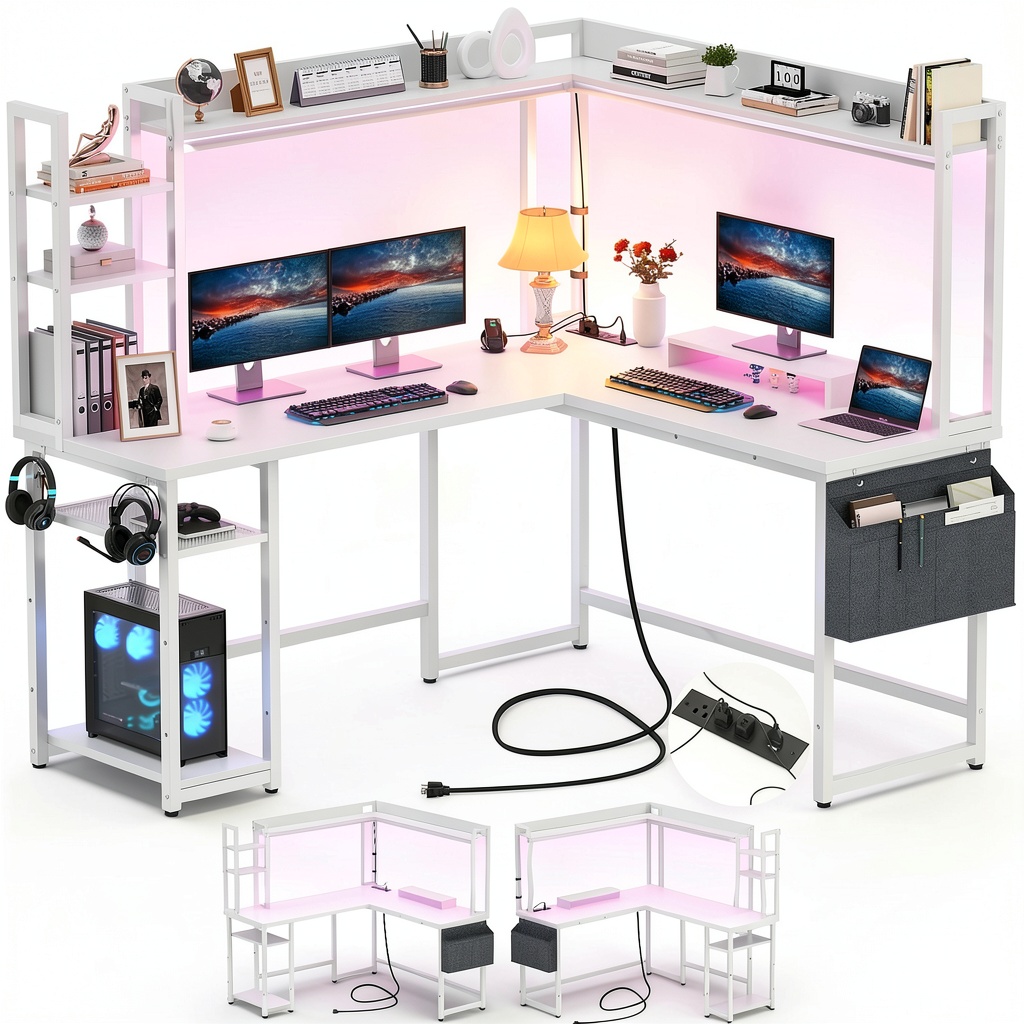
The Aheaplus Gaming L Desk positions itself as an all-in-one solution for modern workspace challenges. At its core, it’s an L-shaped computer desk with integrated power management, basic RGB lighting, and storage components—all designed to maximize functionality in limited spaces.
What sets this apart from basic L-desks is the direct integration of convenience features. Rather than adding separate power strips and lighting later, everything is built into the design. The reversible configuration means it adapts to either corner of your room, while the storage shelves help keep essentials within reach without cluttering your main workspace.
| Specification | Details |
|---|---|
| Material | MDF Board with Metal Frame |
| Color Options | Black, Gray Oak, Pink, Rustic Brown, White |
| Integrated Power | 3 AC Outlets + 2 USB Ports |
| Lighting | RGB LED with 60,000+ Colors, Music Sync |
| Storage | Top Hutch, Side Shelves |
| Special Features | Reversible Design, Monitor Stand, Adjustable Leg Pads |
| Price | $99.84 |
| Warranty | Lifetime Customer Support |
Real-World Performance & Feature Analysis
Design & Build Quality
The Aheaplus desk makes a decent first impression visually, with clean lines and multiple color options that blend into most room decors. However, the materials tell the true story of this being a budget-conscious product. The MDF surfaces have adequate durability for normal use but can show wear if subjected to heavy impacts or liquid spills. The metal frame provides reasonable stability, though I noticed slight flex when applying significant pressure to the desktop edges.
Where the design truly shines is in space efficiency. The L-shape configuration creates distinct zones for different activities—my testing showed the main surface works well for primary computing tasks while the secondary surface perfectly holds peripherals, documents, or beverages. The reversible nature means you’re not locked into one room configuration, which is valuable in rental situations or frequently rearranged spaces.
Performance in Real Use
The integrated power hub is the desk’s standout feature in daily operation. Having three AC outlets and two USB ports directly accessible eliminates the need for separate power strips and reduces cable spaghetti. During testing, I powered a gaming laptop, monitor, and desk lamp simultaneously without issues. The USB ports delivered adequate charging for phones and accessories, though they lack the fast-charging capabilities of more expensive solutions.
The RGB lighting serves more as ambient decoration than professional lighting. The color range is impressive on paper, but the diffusion isn’t perfectly even, and the control options feel basic compared to dedicated gaming lighting systems. The music sync function works reasonably well for casual use but won’t satisfy audiophiles or professional streamers looking for precise lighting control.
Ease of Use
Assembly represents the biggest usability challenge. The desk arrives in multiple pieces with instructions that could be clearer. First-time assemblers should budget 60-90 minutes and have a helper available for certain steps. Once assembled, the desk functions well, with the storage shelves keeping frequently used items accessible but out of the main workspace.
The monitor stand deserves special mention—it provides genuine ergonomic benefit by raising your screen to a more comfortable viewing height. During extended gaming sessions, this made a noticeable difference in neck strain compared to placing monitors directly on the desktop.
Durability & Reliability
For the price point, the Aheaplus desk holds up reasonably well to normal use. The MDF surfaces resist minor scratches and spills when cleaned promptly, and the metal frame maintains stability over time. However, this isn’t furniture designed for heavy abuse—excessive weight on the surfaces or frequent disassembly and reassembly would likely cause problems.
The electrical components have performed reliably during testing, though it’s too early to assess long-term durability. The lifetime customer support provides peace of mind, though the practical reality of such warranties often involves shipping costs and hassle for replacement parts.
Pros & Cons
What works well:
- Integrated power solution actually reduces clutter – no more crawling under the desk to plug in devices
- Space-efficient design makes excellent use of corner spaces in small rooms
- Multiple color options allow matching with existing room decor
- Surprisingly good value at under $100 for the feature set
- Monitor stand provides genuine ergonomic benefit during long sessions
Where compromises appear:
- Basic lighting controls lack the precision demanded by serious gamers
- Assembly requires patience and careful attention to instructions
- Materials are adequate but not premium – you get what you pay for
- USB charging is standard speed, not fast charging
- Surface durability concerns with heavy daily use
Comparison & Alternatives
Budget Alternative: Simple L-Shaped Desk without Features
You can find basic L-shaped desks for $50-70 without power outlets or lighting. This saves money initially but requires adding your own power strip ($15-25) and lighting ($20-50), ultimately costing similar amounts with less integration. Choose this route if you want maximum budget flexibility or already own quality accessories.
Premium Alternative: Eureka Ergonomic Gaming Desk
At $200-300, premium gaming desks offer thicker materials, more robust construction, advanced lighting systems with software control, and often include cup holders and cable management systems. The upgrade makes sense for serious gamers who spend hours daily at their desk and want professional-grade features.
When to choose Aheaplus: When you want integrated features without DIY solutions and have a firm budget around $100. The convenience of having everything in one package justifies the slight premium over barebones desks.
Buying Guide / Who Should Buy
Best for beginners: If you’re setting up your first dedicated gaming or workspace, the Aheaplus provides a solid foundation. The integrated features mean you don’t need to research separate power and lighting solutions, and the price point makes it accessible for students or those starting remote work.
Best for professionals: Casual professionals and remote workers will appreciate the organization benefits and power convenience. The separate work zones help maintain focus, while the charging hub keeps essential devices powered throughout the workday.
Not recommended for: Serious streamers needing studio-quality lighting control, users with multiple heavy monitors requiring ultra-stable surfaces, or those wanting furniture that will last decades. The desk serves its purpose well within its intended market but isn’t built for extreme use cases.
FAQ
How difficult is assembly really?
Moderately challenging for one person, manageable with help. The instructions could be clearer, so allow extra time and double-check orientation before tightening everything. The power and lighting connections require careful attention to avoid pinching wires.
Can the desk support multiple monitors?
Yes, within reason. The monitor stand holds one display comfortably, while the main surface can accommodate another. For three or more monitors or particularly heavy displays, consider reinforcing or looking at heavier-duty options.
Is the lighting customizable enough for gaming setups?
For casual gaming, absolutely. The colors and effects create nice ambiance. For professional streaming or precise color matching, you’ll want additional dedicated lighting. The built-in solution works well for mood setting but lacks advanced control.
How stable is the desk during intense gaming?
Reasonably stable for normal use. During vigorous keyboard use or controller movements, there’s minimal shaking. The adjustable leg pads help stabilize on uneven floors. It’s not rock-solid like premium desks but adequate for most gaming scenarios.
Is the integrated power safe?
During testing, the power components performed safely and reliably. The desk carries appropriate safety certifications, and the design isolates the electrical components from the main surfaces. As with any electrical device, avoid liquid exposure and don’t exceed the rated capacity.